Pixel Flow Online: Clear Cubes by Following the Right Sequence
Learn how to look for a clearance that unlocks two nearby groups with clear explanations for Pixel Flow.
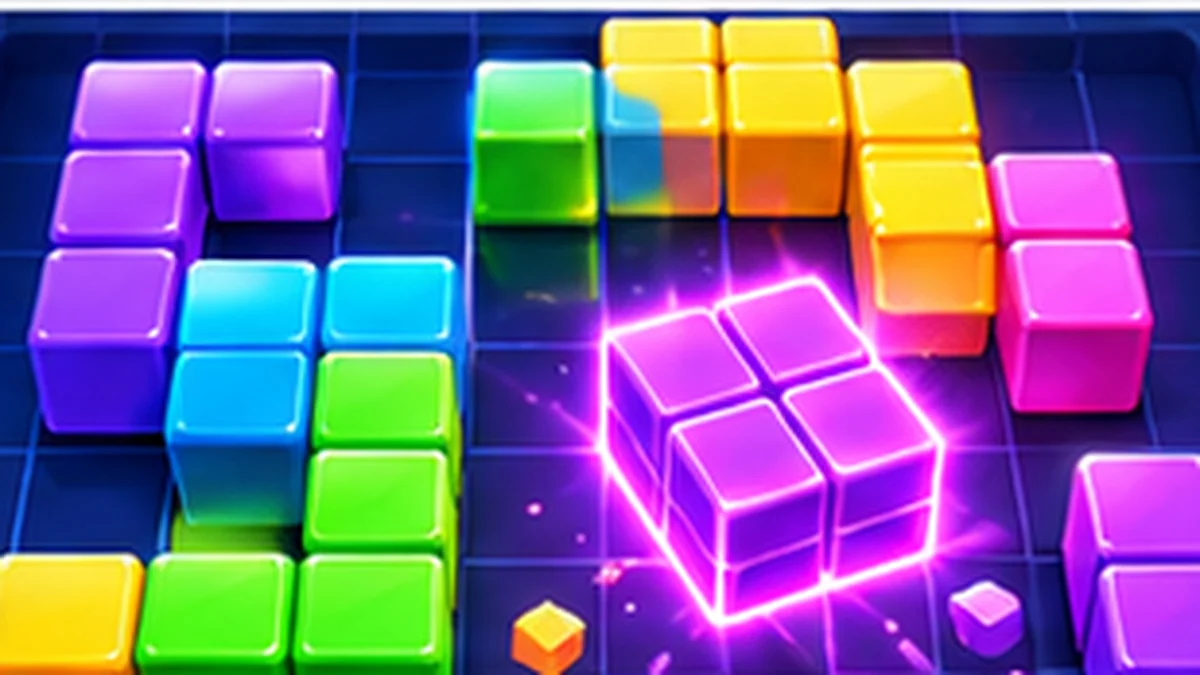
Table of Contents
- How Pixel Flow Challenges Work
- Getting Started with Color-Cube Order And Clearing Lanes
- Worked Example: Color-Cube Order And Clearing Lanes
- Useful Strategies for Pixel Flow
- Inspect depth cues
- Search for useful exposures
- Check whether groups must connect
- Protect free space
- Reassess after each clear
- Fixing Pixel Flow Mistakes
- Assuming all cube puzzles are match-three
- Ignoring covered pieces
- Chasing the biggest clear
- Comparing Pixel Flow Variations
- What to Look for in a Pixel Flow Game
- Pixel Flow: Browser Versus Offline Play
- Playing Pixel Flow Across Devices
- Four Steps to Practice Color-Cube Order And Clearing Lanes
- Pixel Flow: Frequently Asked Questions
- What is a voxel puzzle?
- Are pixel flow games always 3D?
- What should beginners inspect?
- Do all versions use conveyors?
- Why does a small move help?
- Final Advice for Pixel Flow Players
A bright stack of colored cubes looks like a simple toy until you notice that removing one group reveals an entirely new layer. Pixel Flow-style puzzles are about working with depth, not just clearing the biggest shape you can see. If you are searching for pixel flow puzzle game online free
How Pixel Flow Challenges Work
Pixel-flow and voxel-clearing games are not one fixed rule set. Some require tapping groups of adjacent cubes, others move colored pieces toward exits or use conveyors to remove matching colors. Common decisions involve exposure, limited space and the order in which blocks can be cleared. Verify the individual game’s rules before attempting a strategy.
Pay attention to the layer revealed by a cube clear.
Getting Started with Color-Cube Order And Clearing Lanes
- Check the win condition: confirm how this Pixel Flow version defines a successful result.
- Identify the first constraint: Look for the layer revealed by a cube clear, then note anything that blocks a straightforward solution.
- Test one move: look for a clearance that unlocks two nearby groups, and observe how the available options change.
- Review the new position: Check whether a smaller clear unlocks a bigger one. Recheck color-cube order and clearing lanes to see what improved.
- Build on that move: count exposed matching faces before choosing the next action.
- Revise the sequence: if you get stuck, find the point where color-cube order and clearing lanes became difficult.
Worked Example: Color-Cube Order And Clearing Lanes
Imagine a cube tower with a wide blue face covering smaller red and yellow sections. Removing a small blue segment on the side may reveal the red group you need; clearing the whole front face first might block access to an available route in a different version. The best move depends on what becomes visible after the clear, not simply the largest color patch.
Removing one corner group may expose the face of a cube that was previously inaccessible. The decision to try next is to look for a clearance that unlocks two nearby groups.
Useful Strategies for Pixel Flow
People looking for pixel flow puzzle tipsusually want advice they can try in the next round.
Inspect depth cues
Look for shadows, layers or hidden rows that indicate blocks sit behind other blocks. For this Pixel Flow position, examine color-cube order and clearing lanes again after the change.
Search for useful exposures
A modest clear that reveals two matching groups may be better than an isolated large clear. The same approach is useful only while color-cube order and clearing lanes still controls the next decision.
Check whether groups must connect
Some games clear adjacent colors; others require a destination or target. Before committing, check the cost in space, time or attempts and whether you can look for a clearance that unlocks two nearby groups.
Protect free space
When a puzzle uses a holding area, fill it only with a plan to empty it. On the next attempt, count exposed matching faces so improvement is easy to recognize.
Reassess after each clear
The newly visible board can change your best option immediately. You can test the idea by checking whether you still have the option to look for a clearance that unlocks two nearby groups.
Fixing Pixel Flow Mistakes
Assuming all cube puzzles are match-three
Movement, clearing, and matching rules vary significantly. Instead, identify the last move that made color-cube order and clearing lanes harder and retry from that point.
Ignoring covered pieces
Visible colors may conceal the next important combination. Instead, identify the last move that made color-cube order and clearing lanes harder and retry from that point.
Chasing the biggest clear
A large early clear can produce poor access to hidden groups. Instead, identify the last move that made color-cube order and clearing lanes harder and retry from that point.
Comparing Pixel Flow Variations
A title in this category might emphasize adjacent cube clearing, while another centers on voxel layers. A third may add color destination puzzles.
For example, pixel color flow game onlineLikewise, people who look for3d voxel sorting game online
What to Look for in a Pixel Flow Game
When comparing best pixel flow style games, look for clear color groups and visible depth.
For a first test of Pixel Flow, concentrate on color-cube order and clearing lanes. After one round, ask whether you could look for a clearance that unlocks two nearby groups; that is more useful than judging the game from its screenshot.
Pixel Flow: Browser Versus Offline Play
For people looking for free voxel block puzzle games, browser access is the main convenience.
| Question | Browser game | Offline-capable installed game |
|---|---|---|
| Setup | Usually open a game page | Install from an official source |
| Internet | Often needed for loading or play | May support disconnected play |
| Saved progress | Depends on the game and browser | Depends on its own save system |
| Controls | Keyboard, mouse or touch if supported | Platform-specific controls |
The search pixel flow offline vs online
Playing Pixel Flow Across Devices
Players looking for pixel flow puzzle without downloading
Test the on-screen controls for Pixel Flow on the device you intend to use. Check that you can see the relevant color-cube order and clearing lanes details without zooming or accidental page scrolling.
Four Steps to Practice Color-Cube Order And Clearing Lanes
- Session 1 — Explore:In Pixel Flow, check color-cube order and clearing lanes before you look for a clearance that unlocks two nearby groups.
- Session 2 — Observe: Concentrate on the layer revealed by a cube clear and note where your first attempt became difficult.
- Session 3 — Experiment: Change one action and compare whether a smaller clear unlocks a bigger one with your earlier attempt.
- Session 4 — Consolidate:In Pixel Flow, check color-cube order and clearing lanes before you look for a clearance that unlocks two nearby groups.
A helpful progress measure is to count exposed matching faces. If you still struggle with color-cube order and clearing lanes, spend one more session on that single skill instead of rushing to a harder version.
Pixel Flow: Frequently Asked Questions
What is a voxel puzzle?
A game built around small three-dimensional block units, often arranged into larger shapes.
Are pixel flow games always 3D?
No. Some use flat grids or stylized layers rather than fully 3D navigation.
What should beginners inspect?
Look at which colors or blocks are hidden behind the current surface.
Do all versions use conveyors?
No; that is only one of several mechanics found in the broader category.
Why does a small move help?
It may expose valuable groups that were previously blocked.
Final Advice for Pixel Flow Players
In Pixel Flow, the most satisfying improvement often comes from learning how to look for a clearance that unlocks two nearby groups. You can browse the current collection atRobixGame.


