
Cross Runner: Master Narrow Bridges, Jump Landings and Obstacle Timing
Improve Cross Runner with practical bridge alignment, hazard timing, landing checks and smarter coin and key collection routes.
Read article ↗
Block Snake brings a growing, angular snake through bounded stages where collecting food makes the route harder to manage.
Play here in the browser.
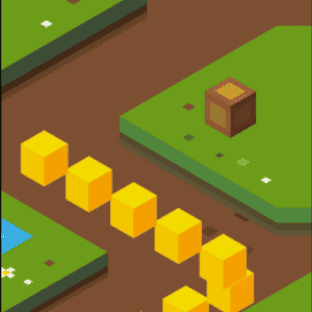 Block Snake
Leave room for the body before turning toward the next pickup. A direct path to food can close behind the head, so favour routes that remain usable after the snake has grown.
Block Snake begins with New Play and a mode-selection screen before opening its block course. The first playable mode leads to a bounded scene with a score display, barriers and a block-shaped character. Use that opening to learn the movement response before assuming it behaves exactly like another snake game. A drag input is part of this version's control flow, so the useful first question is how that movement changes the character's position within the visible route.
Read the course edges before approaching a collectible. The game includes food and several barrier forms, which means the shortest line to an item may not leave the clearest continuation. Compare the destination with the space around it and the next visible boundary. An opening can be useful for entering an area while still making departure awkward. Thinking about both directions helps turn collection into a route decision rather than a reflexive movement toward whatever appears nearest.
The score provides feedback, but the changing arrangement is the information needed for the following action. Keep the character and the immediate path in view while making a correction. If the movement carries you farther than expected, reduce the next adjustment and observe the result before committing to another one. Repeated uncertain drags make it difficult to remember which input produced the problem. A controlled movement offers a clearer reference for navigating the next section.
The opening selection artwork includes padlock symbols, but the first mode can still be selected to begin the course. Follow the available option and the instructions shown by the game rather than treating every symbol as a reason to leave the page. When a run ends, the result screen offers a way to restart or return home. Before another attempt, identify one part of the route you misread: an edge, a collection approach or the amount of movement needed. Working on that single observation helps you learn this particular course without relying on a remembered pattern from a different snake title.
Choose New Play and then select the first playable mode to open the block course.
Yes. The first mode was selectable in the opening flow even though the selection artwork includes padlock symbols.
Check the nearby barriers and the route available after reaching it, not just the distance from the character.
The result screen provides restart and home options, letting you retry the course or return to the opening menu.
It gives you a clearer comparison between input and position, making the next boundary easier to judge.
Found a control that behaves differently? Tell us the game name and your device.

Improve Cross Runner with practical bridge alignment, hazard timing, landing checks and smarter coin and key collection routes.
Read article ↗
Understand camera rotation, layer turns, centers, edges and corners in Cube 3D. Learn reversible moves and plan a standard 3×3 solve step by step.
Read article ↗
Learn the leaf traversal rules, plan flower-planting routes and use Undo to recover from awkward moves in Emoji Puzzle on RobixGame.
Read article ↗
Find exposed matches, clear rising rows and stay below the red line in Pet Merge on RobixGame. Includes a browser check, worked examples and a practi…
Read article ↗