
Cross Runner: Master Narrow Bridges, Jump Landings and Obstacle Timing
Improve Cross Runner with practical bridge alignment, hazard timing, landing checks and smarter coin and key collection routes.
Read article ↗
Manage a growing stack in Block Pile by reading the next block and choosing how to build or trim the pile.
Play here in the browser.
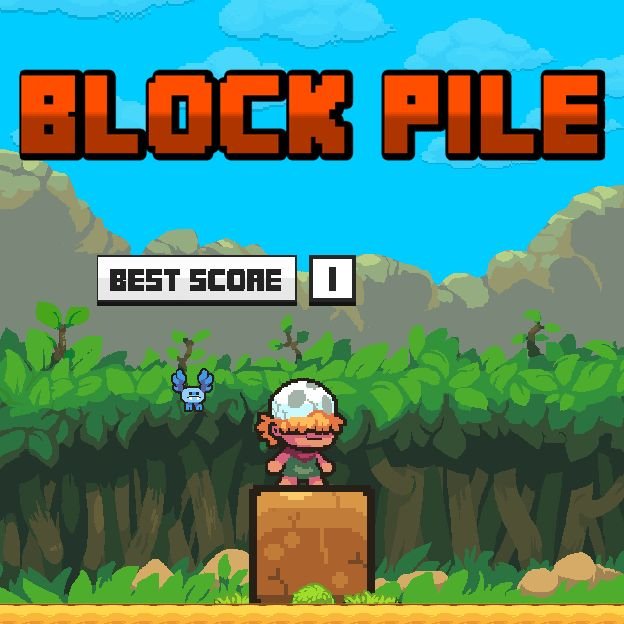 Block Pile
Views, plays and likes include starting counts.
Check the placement indicator before each action. An extra block is not automatically an improvement if it makes the stack harder to manage; use the available build and break actions with the current arrangement in view.
Block Pile places a character above a stack and provides two large directional controls along the bottom of the playfield. Pressing Play moves from the title screen into the stacking challenge. Before reacting to the next block, look at the current pile and the indicator near the top of the screen. Together they give you a reference for the change you are about to make. The important distinction is between seeing a block and understanding what that block means for the character's support.
Use the opening actions to learn the two buttons separately. An on-screen upward control was checked and produced a change in the stack and score. Make one deliberate input, watch the resulting arrangement, and only then decide whether another input is useful. Pressing both controls in quick succession can leave you judging an outcome without remembering which decision produced it. A short pause after the first few actions helps establish a reliable connection between the control and the visible pile.
Keep the character, the supporting blocks and the upcoming indicator in the same scan. Concentrating only on the score can hide a change beneath the character. Looking only at the base can make the next required action arrive as a surprise. Try a repeating visual routine: inspect the support, read the next cue, act, and inspect the support again. This is a practical way to manage the information already shown on the screen, rather than a promise that a fixed sequence of button presses will solve every situation.
The checked edition includes a score display and accessible on-screen controls, making the shape of the current stack more useful than assumptions borrowed from another block puzzle. On a phone, position your hand so that the lower buttons stay easy to reach while the pile remains visible. Avoid treating extra height as an automatic improvement. What matters is whether the next action preserves a usable arrangement for the character and the following cue. When an attempt ends, think back to the last action you understood clearly. Starting from that observation gives the next run a concrete adjustment, such as reading the indicator earlier or waiting to see the result of one press before making another.
Two large directional controls sit along the bottom of the playfield, beneath the character and stack.
The stack changed and the score increased. Use an initial single press to learn the visible response on your own run.
Keep track of the character's support, the pile and the upcoming indicator. The score alone does not describe the arrangement.
Do not assume that more height is always useful. Read the current cue and inspect the resulting support before choosing another action.
Use one button deliberately and observe the result before the next input. This makes it easier to identify the action that changed the pile.
Found a control that behaves differently? Tell us the game name and your device.









Improve Cross Runner with practical bridge alignment, hazard timing, landing checks and smarter coin and key collection routes.
Read article ↗
Understand camera rotation, layer turns, centers, edges and corners in Cube 3D. Learn reversible moves and plan a standard 3×3 solve step by step.
Read article ↗
Learn the leaf traversal rules, plan flower-planting routes and use Undo to recover from awkward moves in Emoji Puzzle on RobixGame.
Read article ↗
Find exposed matches, clear rising rows and stay below the red line in Pet Merge on RobixGame. Includes a browser check, worked examples and a practi…
Read article ↗