
Cross Runner: Master Narrow Bridges, Jump Landings and Obstacle Timing
Improve Cross Runner with practical bridge alignment, hazard timing, landing checks and smarter coin and key collection routes.
Read article ↗
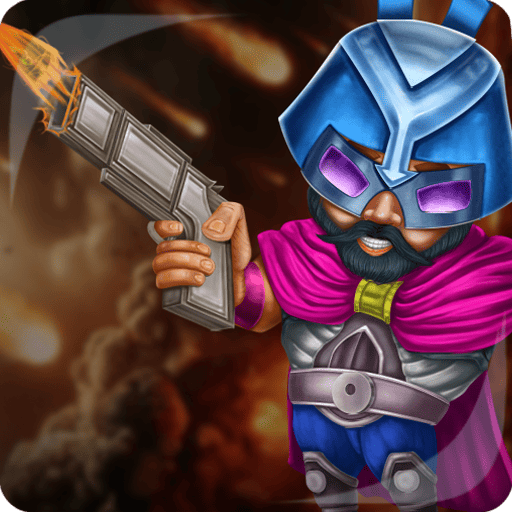
Lead an armed fighter through a fantasy route in Fire Soldier, where hostile creatures share the ground with platform hazards.
Play here in the browser.
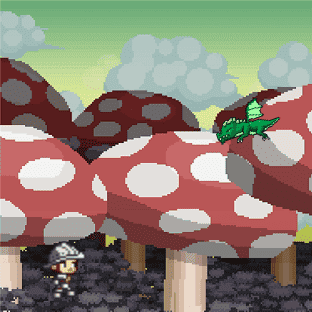 Fire Soldier
Approach a creature from a position that leaves space to stop or retreat. Once the immediate threat is handled, inspect the next gap before turning the advance into an uninterrupted rush.
Creatures and platform gaps share the route, so one stretch can require both an attack and a landing. You can judge the next move by looking at the ground beyond the creature before jumping toward it.
Fire Soldier combines a controllable fighter, ranged attacks and a fantasy platform route. The game includes directional controls, a jump control and an attack action, so moving through the stage involves coordinating position with combat. Before approaching the first creature, establish how the fighter responds on usable ground. Knowing the movement distance is valuable when an enemy and a platform edge demand attention at the same time.
Read the terrain before deciding where to attack. The scene contains platforms, climbing elements and obstacles alongside creatures such as bats, slugs and goblins. An enemy's location may draw your attention away from the surface needed for the next movement. Choose a place from which you can act while still leaving a clear route afterward. A shot is easier to judge when the fighter is not also making an uncertain adjustment near a gap or another obstruction.
The health display describes the fighter's remaining margin, while enemy indicators help distinguish a threatening creature from background decoration. Use those displays together with the actual scene. Do not approach purely because an opponent appears close to defeat; the route toward it still needs to be usable. Likewise, a collectible or doorway should be assessed as part of the path rather than treated as a reason to ignore a creature occupying the approach.
Learn movement, jumping and attacking as related but separate decisions. If a sequence fails, ask which part became uncertain first. A missed landing needs a different correction from an attack made from the wrong distance. Preserve the part that worked and adjust the next attempt deliberately. On a phone, keep the visible controls reachable without covering the fighter's landing area. Fire Soldier's route is easier to read when every action answers a practical question: where the fighter can stand, which creature threatens that position and what space will remain after the attack. That routine helps avoid advancing into a hazard merely because the last enemy stopped demanding attention.
The game contains directional movement, jumping and an attack action. Learn their individual responses before combining them near hazards.
The game includes fantasy opponents such as bats, slugs and goblins, alongside other creature types.
The platform route includes obstacles and changes of height. A useful firing position should also leave room for the next movement.
Yes. A fighter health display and enemy-related indicators help show the encounter's condition.
Identify whether movement, landing or attack distance became uncertain first, then correct that part rather than changing every input.
Found a control that behaves differently? Tell us the game name and your device.





Improve Cross Runner with practical bridge alignment, hazard timing, landing checks and smarter coin and key collection routes.
Read article ↗
Understand camera rotation, layer turns, centers, edges and corners in Cube 3D. Learn reversible moves and plan a standard 3×3 solve step by step.
Read article ↗
Learn the leaf traversal rules, plan flower-planting routes and use Undo to recover from awkward moves in Emoji Puzzle on RobixGame.
Read article ↗
Find exposed matches, clear rising rows and stay below the red line in Pet Merge on RobixGame. Includes a browser check, worked examples and a practi…
Read article ↗