
Cross Runner: Master Narrow Bridges, Jump Landings and Obstacle Timing
Improve Cross Runner with practical bridge alignment, hazard timing, landing checks and smarter coin and key collection routes.
Read article ↗
Track moving ducks in Duck Hunter and choose a shot while the target is still inside a useful aiming window.
Play here in the browser.
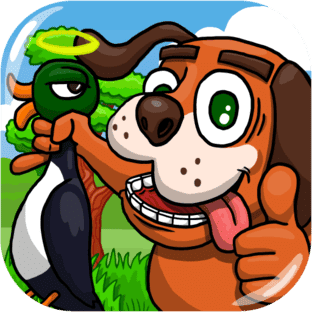 Duck Hunter
Views, plays and likes include starting counts.
Read the Instructions panel for the firing input, then practise following one target at a time. Place the aim deliberately instead of clicking across the whole scene whenever something moves.
Duck Hunter presents an outdoor shooting scene with moving ducks, a dog and a display that tracks the round. The interface includes shot and hit information, so the challenge is to place useful attempts rather than fire whenever anything moves. Read the Instructions panel before starting to learn the firing input used by this edition. Once the round begins, choose one visible duck and follow its actual movement long enough to judge a clear shot.
Separate aiming from reacting to movement. A duck appearing at the edge of the scene does not automatically give you a good firing opportunity. Watch how its path develops, then bring the aim into a position that matches the target's travel. Sweeping across several ducks at once can make it difficult to understand why an attempt missed. Focusing briefly on a single target gives you a clearer comparison between the point you chose and where the duck was when the shot occurred.
Use the ammunition and hit indicators as feedback. A shot that spends a visible attempt without adding a hit tells you to reassess the next opportunity, not simply repeat the same hurried input. The round can present different duck movements, so avoid relying on the starting position alone. Follow the target until its direction becomes useful information. On a phone, keep the aim area visible around your finger and learn any on-screen firing control in a calm moment before several targets demand attention.
Between rounds, review one specific part of the sequence. Were you following the duck or aiming at where it had been? Did you switch targets halfway through preparing the shot? Did the display show a remaining opportunity you could have used more carefully? Those questions connect improvement to the actual hunting scene. The dog and round messages provide atmosphere and feedback, but the immediate decision remains the same: identify a duck, read its flight and choose an attempt with a clear aiming purpose. Patient observation can therefore help more than a burst of unfocused inputs that leaves the shot counter reduced without explaining the missed target.
Watch the shot and hit indicators together to compare attempts spent with successful contacts.
A single target gives a clearer view of direction and timing than switching between several moving ducks.
Read the game's Instructions panel and the visible controls before the round becomes busy.
Recheck whether you aimed at the duck's current path or its previous position, then prepare a deliberate correction.
Found a control that behaves differently? Tell us the game name and your device.



Improve Cross Runner with practical bridge alignment, hazard timing, landing checks and smarter coin and key collection routes.
Read article ↗
Understand camera rotation, layer turns, centers, edges and corners in Cube 3D. Learn reversible moves and plan a standard 3×3 solve step by step.
Read article ↗
Learn the leaf traversal rules, plan flower-planting routes and use Undo to recover from awkward moves in Emoji Puzzle on RobixGame.
Read article ↗
Find exposed matches, clear rising rows and stay below the red line in Pet Merge on RobixGame. Includes a browser check, worked examples and a practi…
Read article ↗