
Cross Runner: Master Narrow Bridges, Jump Landings and Obstacle Timing
Improve Cross Runner with practical bridge alignment, hazard timing, landing checks and smarter coin and key collection routes.
Read article ↗
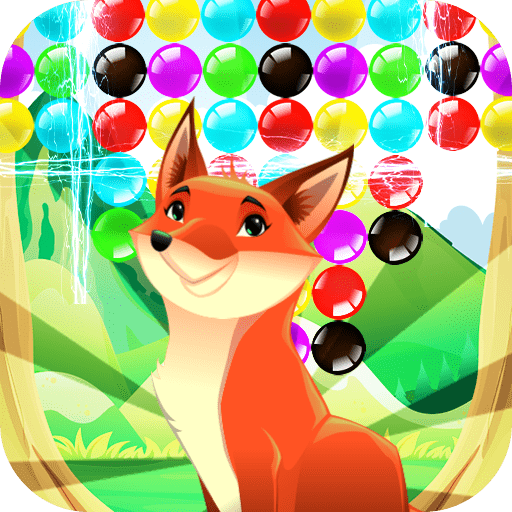
Connect matching animal pictures in Animals Crush Match3 by dragging a clear path through a group before the timer runs out.
Play here in the browser.
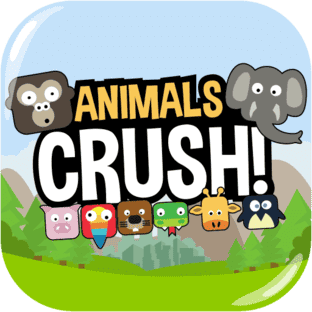 Animals Crush Match3
Views, plays and likes include starting counts.
Find a matching group before starting the drag. After the animals clear, inspect the new arrangement rather than following the old connection automatically.
Animals Crush Match3 opens a board of animal pictures with a timer visible around the play area. In this edition, the useful gesture is dragging through matching animals: a connected group can disappear and increase the score. That is a different interaction from assuming that every match game asks you to exchange two neighbouring tiles. Begin by finding a clearly visible group, make a controlled drag through it, and watch which animals remain after the board changes.
Plan the gesture before placing your finger on the board. A promising group is easier to follow when you have already identified its members and the spaces between them. Starting without a route can leave you tracing across an unrelated picture or stopping before a useful connection. Keep the movement deliberate enough to see which tiles the gesture includes. On a smaller display, leave the next part of the group visible beside your finger rather than covering the entire route with your hand.
The timer adds pressure, but rushing every drag does not necessarily produce better progress. Scan for an obvious connection first, clear it cleanly, then reassess the changed arrangement. A group that was unavailable moments earlier may become easier to recognise after the previous animals disappear. Avoid continuing the old gesture mentally after the board has changed; take the new pictures as the starting point for the next decision. This helps you notice useful clusters instead of repeatedly searching only one corner.
Use score feedback to confirm what the game accepted. Clearing animals during the opening play increased the score, so a visible change provides a better reference than simply assuming a long gesture must have worked. If an attempt does not produce the expected clearance, inspect the animals along that route and shorten the next drag to a connection you understand. Once the interaction feels reliable, broaden your scan and compare available groups before committing. The central skill is combining quick recognition with an accurate path through matching pictures, while keeping enough attention on the timer to decide when a simple, dependable connection is preferable to a complicated one.
Yes. Dragging through matching animal pictures clears an accepted group and adds to the score.
Identify the matching group and trace the intended connection so the gesture does not wander through unrelated animals.
The arrangement changes, so the next useful connection may appear in a different place.
Look for the matching animals clearing and the score changing, rather than judging only the length of your drag.
Found a control that behaves differently? Tell us the game name and your device.


Improve Cross Runner with practical bridge alignment, hazard timing, landing checks and smarter coin and key collection routes.
Read article ↗
Understand camera rotation, layer turns, centers, edges and corners in Cube 3D. Learn reversible moves and plan a standard 3×3 solve step by step.
Read article ↗
Learn the leaf traversal rules, plan flower-planting routes and use Undo to recover from awkward moves in Emoji Puzzle on RobixGame.
Read article ↗
Find exposed matches, clear rising rows and stay below the red line in Pet Merge on RobixGame. Includes a browser check, worked examples and a practi…
Read article ↗