
Cross Runner: Master Narrow Bridges, Jump Landings and Obstacle Timing
Improve Cross Runner with practical bridge alignment, hazard timing, landing checks and smarter coin and key collection routes.
Read article ↗
Keep passengers boarding in Bus Stop Legend by pairing the waiting colours with buses that can actually serve them.
Play here in the browser.
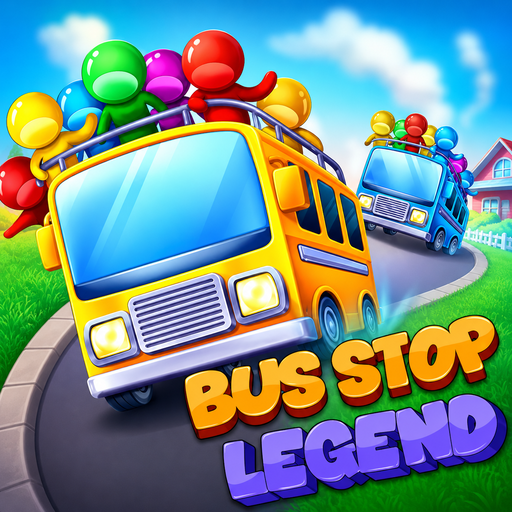 Bus Stop Legend
Study the queue before choosing a vehicle. Moving a bus without a useful group to collect can consume boarding space, while the right colour at the right moment opens room for the next decision.
The bus that matches the front passengers can be behind another bus. Moving that blocker makes sense when the departure it opens can be used before the waiting area fills.
Bus Stop Legend combines a queue of coloured passengers with buses waiting below a set of boarding bays. The first level shows the passenger line near a school and a compact group of differently coloured vehicles beneath it. Start by comparing the front of the queue with the buses that can actually leave their current positions. Matching a colour is useful only when the vehicle also has a clear movement route and can occupy a suitable waiting space.
Read the vehicle arrangement before selecting a bus. A bus may be blocked by another vehicle even when its colour seems ideal for the next passengers. Trace the intended departure and identify what must move first. That turns an apparently unresponsive selection into a planning question rather than a reason to tap repeatedly. If another bus can leave, inspect whether moving it frees the needed vehicle or merely fills a boarding bay without helping the current queue.
The available bays are a limited working area. Use them with a purpose: bringing the required colour to the passengers, opening a useful route, or preparing for the next visible part of the line. Moving every accessible bus immediately can leave the right vehicle waiting behind a crowded set of bays. Compare the first passenger colour with the colours behind it so your current choice does not prevent the next sensible one. When a bus fills and the arrangement changes, reassess instead of following the old release order automatically.
Take a deliberate approach on a small screen because the vehicles sit close together. Check which bus you selected and allow its movement to finish before judging the result. The level display and passenger count provide context, while the queue and vehicle paths explain the immediate decision. Do not assume an extra bay or other optional-looking space is necessary before learning the ordinary puzzle. A useful starting habit is to name the reason for each departure: serve this group, free that bus, or preserve a bay for the next colour. This keeps the level focused on an understandable sequence of movements rather than a series of guesses.
Compare the colour at the front of the passenger queue with buses that have a clear route to a boarding bay.
Another vehicle may block its departure. Inspect the route and the surrounding buses before repeating the selection.
A bay occupied without a useful purpose can prevent the colour needed by the queue from reaching the passengers.
Also inspect the visible colours behind it. Your present bus choice can affect the next boarding opportunity.
Found a control that behaves differently? Tell us the game name and your device.











Improve Cross Runner with practical bridge alignment, hazard timing, landing checks and smarter coin and key collection routes.
Read article ↗
Understand camera rotation, layer turns, centers, edges and corners in Cube 3D. Learn reversible moves and plan a standard 3×3 solve step by step.
Read article ↗
Learn the leaf traversal rules, plan flower-planting routes and use Undo to recover from awkward moves in Emoji Puzzle on RobixGame.
Read article ↗
Find exposed matches, clear rising rows and stay below the red line in Pet Merge on RobixGame. Includes a browser check, worked examples and a practi…
Read article ↗