
Cross Runner: Master Narrow Bridges, Jump Landings and Obstacle Timing
Improve Cross Runner with practical bridge alignment, hazard timing, landing checks and smarter coin and key collection routes.
Read article ↗
Find a clean line through desert traffic in Desert Drive while deciding which roadside rewards are worth approaching.
Play here in the browser.
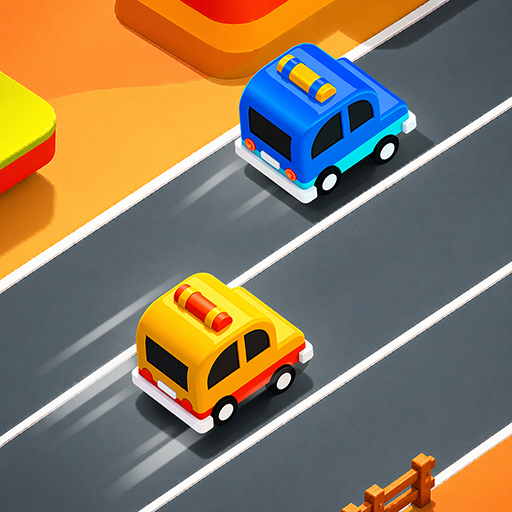 Desert Drive
Views, plays and likes include starting counts.
Look ahead before changing position for a pickup. Staying on a predictable, open route makes it easier to handle the next vehicle than weaving between rewards with no clear path out.
Desert Drive puts a car on a road with traffic, barriers and pickups. The game presents mobile and desktop guidance, so follow the controls shown for your device rather than assuming that every road game steers in the same way. Use the opening stretch to learn how a position change carries the vehicle across the available space. Before collecting a coin or approaching another car, identify the road area you want to occupy afterward. That destination matters more than simply moving away from the nearest object.
Look beyond the first vehicle in your lane. A gap beside it may be closing because another car or barrier occupies the line farther ahead. Read the approach, the passing space and the exit as one manoeuvre. When the road is already open, avoid unnecessary switching just to keep the controls busy. A predictable line makes the next traffic movement easier to judge. If the scene becomes crowded, choosing one clear route can be more useful than repeatedly changing direction in response to individual objects.
The game includes a nitro indicator alongside its driving elements. Treat any speed-changing feature according to the instruction presented in the current run, and check the space ahead before using it. Extra pace reduces the time available to interpret the next obstruction. Coins also need a route decision: a reward that pulls the car toward a barrier may be less useful than preserving a clean passage. Read the current road arrangement instead of applying a fixed rule that every pickup must be collected immediately.
On a phone, keep the road ahead visible around the input area. Begin with small, intentional corrections while learning the car's response, then combine them with the game's other driving actions only when the lane is understood. If an attempt ends in a collision, identify whether the problem began during a lane change, while approaching a reward or when the next vehicle appeared. The next run should test a specific improvement at that moment. Maintaining clearance and planning a usable exit are reliable habits even as traffic and scenery alter the immediate choices.
The driving scene includes other cars, barriers and obstacles. Inspect the lane beyond the nearest object before changing position.
Yes. A nitro indicator is part of the game. Follow the current driving instructions and inspect the road before using a speed-changing feature.
Only when the approach and exit are manageable. A coin near a barrier can draw the car away from a clearer route.
It gives you a more predictable starting position for reading the next vehicle and deciding whether another correction is needed.
Found a control that behaves differently? Tell us the game name and your device.








Improve Cross Runner with practical bridge alignment, hazard timing, landing checks and smarter coin and key collection routes.
Read article ↗
Understand camera rotation, layer turns, centers, edges and corners in Cube 3D. Learn reversible moves and plan a standard 3×3 solve step by step.
Read article ↗
Learn the leaf traversal rules, plan flower-planting routes and use Undo to recover from awkward moves in Emoji Puzzle on RobixGame.
Read article ↗
Find exposed matches, clear rising rows and stay below the red line in Pet Merge on RobixGame. Includes a browser check, worked examples and a practi…
Read article ↗