
Cross Runner: Master Narrow Bridges, Jump Landings and Obstacle Timing
Improve Cross Runner with practical bridge alignment, hazard timing, landing checks and smarter coin and key collection routes.
Read article ↗
Cut airborne fruit with controlled swipes in Fruitslasher while leaving dangerous objects outside the cutting path.
Play here in the browser.
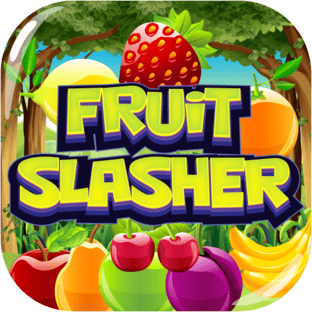 fruitslasher
Start a gesture after identifying a safe group. A sweeping cut may catch more fruit, but a shorter stroke gives you better control when fruit and hazards arrive close together.
Fruitslasher sends fruit into a cutting area and asks you to recognise a safe swipe before making it. The scene also contains bombs, making restraint part of the action. Begin by following one group of fruit as it rises and falls. Notice the space around the pieces before drawing the cutting gesture. A large sweep may cover more of the screen, but that is useful only when the extra distance does not also carry the blade through a dangerous object.
Use short strokes when fruit and bombs arrive close together. The visible separation between them matters more than the number of pieces you hope to catch in one motion. Choose a stroke with a clear beginning and end, then follow its result before preparing another. When a group is safely spaced, a broader cut may be easier to manage. The point is to choose the gesture that fits the current arrangement rather than using the same full-screen movement for every appearance.
The interface includes time, lives and score information. Keep those indicators in mind without letting them hide the immediate judgement in the cutting area. A hurried attempt to increase the score can be counterproductive if it ignores a bomb beside the intended fruit. Read the help screen before the first round to understand the current rules. After a missed opportunity, decide whether the gesture started too late, crossed the wrong space or simply tried to cover too many objects at once.
On a small display, position your hand so the incoming group remains visible before contact. You do not need to follow fruit that has already left a useful cutting position if doing so drags the stroke through an unsafe area. Prepare for the next clear group instead. The game-over scene offers a point to compare the attempt with the choices you remember. Improve one habit on the following round, such as shortening a risky stroke or checking the space beside the fruit sooner. Controlled selection of what to cut is the skill that gives quick gestures a purpose.
A bomb near the intended fruit can enter the cutting path. Inspect the surrounding space before drawing the gesture.
Use it when fruit and hazards are close together and a broad sweep would be difficult to control.
The game contains time, lives and score displays. Read the help screen for the active round's rules.
Only if the path remains safe. Waiting for another readable group can be better than extending a stroke through a hazard.
Found a control that behaves differently? Tell us the game name and your device.







Improve Cross Runner with practical bridge alignment, hazard timing, landing checks and smarter coin and key collection routes.
Read article ↗
Understand camera rotation, layer turns, centers, edges and corners in Cube 3D. Learn reversible moves and plan a standard 3×3 solve step by step.
Read article ↗
Learn the leaf traversal rules, plan flower-planting routes and use Undo to recover from awkward moves in Emoji Puzzle on RobixGame.
Read article ↗
Find exposed matches, clear rising rows and stay below the red line in Pet Merge on RobixGame. Includes a browser check, worked examples and a practi…
Read article ↗