
Cross Runner: Master Narrow Bridges, Jump Landings and Obstacle Timing
Improve Cross Runner with practical bridge alignment, hazard timing, landing checks and smarter coin and key collection routes.
Read article ↗
Send coloured bubbles into matching clusters in Bubble Blaster and use each clearance to open more of the board.
Play here in the browser.
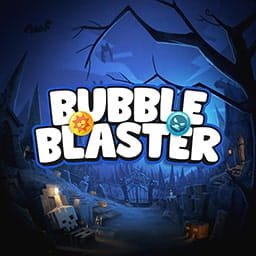 Bubble Blaster
Check the loaded colour before aiming at an attractive group. A clear route to the right colour matters more than simply firing toward the largest cluster you can see.
Bubble Blaster uses a cannon beneath a suspended field of coloured bubbles. Aim the next bubble toward a useful part of that field, then release the input to fire. You can adjust the direction while holding the pointer or touch, which makes it worth checking the proposed line before letting go. The opening tutorial introduces this edition, so follow its cues before relying on habits from another bubble game.
Read the colour in the cannon alongside the arrangement above it. A promising target is one the current shot can actually reach, rather than a matching colour hidden behind another layer. Notice how the front of the formation limits the available routes. When a shot changes the field, inspect the new outline before choosing again. An opening created by the previous bubble may matter more than the target you intended to use several shots earlier.
This game has a regrowth counter and a danger line, which add consequences to shots that do not improve the position. Keep those indicators in view as well as the score. A long inspection can help establish a useful route, but the important question is what the next bubble will do to the formation. Prefer an accessible connection with a clear purpose over sending a shot into a convenient empty area simply because it is easy to reach. Watch the bubbles that fall after a successful change, since the remaining anchors determine the next approach.
The cannon presentation also shows the next bubble type, allowing you to compare the immediate shot with what follows. Use that information as context rather than as a reason to ignore the current danger near the lower edge. If a shot lands somewhere unexpected, examine the first surface or bubble it met and revise the direction from that contact. Pause is available when you need to stop the session. On a phone, aim with enough space above the cannon to see the intended meeting point around your finger. Clear progress comes from combining colour, access and the state of the hanging formation into one purposeful release.
Hold and move the pointer or touch to adjust the cannon direction, then release to launch the bubble.
Another bubble may block the route, so a matching colour must also be accessible to the shot.
The game includes a regrowth counter and a danger line around the playing field.
The remaining hanging bubbles and exposed edges determine which connections the next shot can reach.
Yes. It includes an opening tutorial before continuing into the numbered level sequence.
Found a control that behaves differently? Tell us the game name and your device.
Improve Cross Runner with practical bridge alignment, hazard timing, landing checks and smarter coin and key collection routes.
Read article ↗
Understand camera rotation, layer turns, centers, edges and corners in Cube 3D. Learn reversible moves and plan a standard 3×3 solve step by step.
Read article ↗
Learn the leaf traversal rules, plan flower-planting routes and use Undo to recover from awkward moves in Emoji Puzzle on RobixGame.
Read article ↗
Find exposed matches, clear rising rows and stay below the red line in Pet Merge on RobixGame. Includes a browser check, worked examples and a practi…
Read article ↗