
Cross Runner: Master Narrow Bridges, Jump Landings and Obstacle Timing
Improve Cross Runner with practical bridge alignment, hazard timing, landing checks and smarter coin and key collection routes.
Read article ↗
Crazy Runner puts cars, road hazards and tempting food pickups in the path of a constantly moving character.
Play here in the browser.
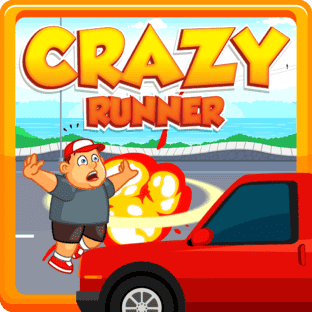 Crazy Runner
Choose the landing before chasing a snack. An item can be reachable yet poorly placed for the next obstacle, so keep enough road in view to judge what happens after the jump.
Crazy Runner puts its runner on a road shared with cars, tyres and other hazards. The menu's Play control leads to a Tap to Play prompt, and the run begins after that opening input. Tapping during play produces the jump action. Take the first seconds to recognise the runner's position and the amount of road shown ahead, because an approaching vehicle demands a different decision from an item that simply offers points.
Choose the landing as well as the take-off. A jump that clears the nearest car is useful only if the runner comes down with enough room before the following obstruction. Look at the next stretch while the character is still on the ground, then make the tap serve that route. Repeating the previous jump rhythm without checking the new spacing can place the character in an awkward position. The visual arrangement, rather than a memorised beat, should determine the next movement.
Coins and food add temptation along the road. First decide whether the route past an obstacle is safe, then consider whether a pickup lies naturally within it. A small reward is less useful when its approach leaves no clear landing. Keep your attention on the runner and the next hazard during the decisive part of a jump; read the score and distance when the road gives you a moment. This creates a practical division between controlling the run and reviewing its result.
If the runner falls, the results panel offers a retry control for another attempt. Use the brief pause to identify one movement worth changing. Perhaps you tapped while the next car was already too close, or jumped for a reward without looking beyond it. One specific correction is easier to apply than a vague intention to react faster. On a phone, tap in a comfortable part of the playfield that leaves the road visible. Consistent jumps come from seeing the approaching gap early enough to judge it, then watching the landing so you are ready to make a fresh decision for the next section.
That prompt begins the road run. The menu Play control and the run-start input are separate steps.
It triggers the jump action used to negotiate the approaching road hazards.
Only when its route also leaves a safe passage and landing. Read the obstacle sequence before chasing the item.
Use the retry control on the results panel, then follow the run-start prompt again.
Found a control that behaves differently? Tell us the game name and your device.







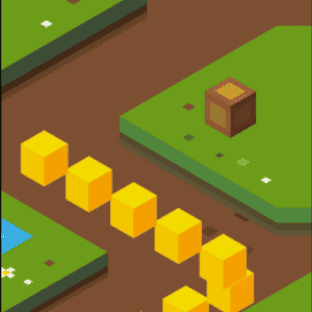

Improve Cross Runner with practical bridge alignment, hazard timing, landing checks and smarter coin and key collection routes.
Read article ↗
Understand camera rotation, layer turns, centers, edges and corners in Cube 3D. Learn reversible moves and plan a standard 3×3 solve step by step.
Read article ↗
Learn the leaf traversal rules, plan flower-planting routes and use Undo to recover from awkward moves in Emoji Puzzle on RobixGame.
Read article ↗
Find exposed matches, clear rising rows and stay below the red line in Pet Merge on RobixGame. Includes a browser check, worked examples and a practi…
Read article ↗