
Cross Runner: Master Narrow Bridges, Jump Landings and Obstacle Timing
Improve Cross Runner with practical bridge alignment, hazard timing, landing checks and smarter coin and key collection routes.
Read article ↗
Choose clothes and accessories for a royal character in Princess Dress Up, comparing pieces as the outfit takes shape.
Play here in the browser.
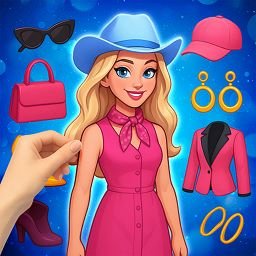 Princess Dress Up
Views, plays and likes include starting counts.
Settle on a main garment before trying smaller details. Swapping one accessory at a time makes the effect visible and helps you decide which pieces belong in the same finished look.
Princess Dress Up gives you a character and a collection of appearance categories to explore. The clothing choices include dresses, tops, jackets, trousers and boots, alongside hair, facial details, glasses and decorations. You can also change the background around the character. The pleasure comes from seeing how those choices work together: a hairstyle can alter the impression of an outfit just as noticeably as a different main garment does.
Start with one clear idea for the look, such as a particular colour combination or a preferred dress shape. Choose the main clothing first so that smaller accessories have something to complement. Then open one category at a time and compare its alternatives on the character. Changing several categories at once makes it harder to recognise which change improved the outfit. A single substitution gives you a more useful comparison, especially when two options seem similar in the small selection icons.
The separate top, trouser and jacket categories let you explore combinations beyond the dress choices. Check the complete character after selecting a piece, because an item that looks appealing by itself may affect the balance of the finished outfit. Boots influence the lower part of the silhouette, while hair and glasses draw attention toward the face. Decorations can finish a look, but they are easiest to judge after the larger clothing decisions are settled. You do not need to use every category to create a coherent result.
Background selection is another useful comparison tool. Try it after the outfit is mostly complete and notice whether the setting helps the character stand out. If a background makes the clothing difficult to distinguish, return to a simpler or more contrasting choice. You can then revisit one detail that needs adjusting rather than rebuilding everything. The game works well as a small visual experiment: build a look, inspect the whole composition, and make a considered change. There is room to create your own style rather than follow a single supposedly correct outfit.
Yes. The available categories include hair, eyes, mouth, glasses, decorations and backgrounds as well as clothing.
Choose a main garment or a top-and-trouser combination, then compare smaller details against it.
Its colours can either separate the character from the setting or make parts of the clothing harder to distinguish.
No. Select the details that suit the overall look you want to create.
Found a control that behaves differently? Tell us the game name and your device.




Improve Cross Runner with practical bridge alignment, hazard timing, landing checks and smarter coin and key collection routes.
Read article ↗
Understand camera rotation, layer turns, centers, edges and corners in Cube 3D. Learn reversible moves and plan a standard 3×3 solve step by step.
Read article ↗
Learn the leaf traversal rules, plan flower-planting routes and use Undo to recover from awkward moves in Emoji Puzzle on RobixGame.
Read article ↗
Find exposed matches, clear rising rows and stay below the red line in Pet Merge on RobixGame. Includes a browser check, worked examples and a practi…
Read article ↗