
Cross Runner: Master Narrow Bridges, Jump Landings and Obstacle Timing
Improve Cross Runner with practical bridge alignment, hazard timing, landing checks and smarter coin and key collection routes.
Read article ↗
Take charge of an intersection in Traffic Command by changing signals to move queues without releasing conflicting traffic.
Play here in the browser.
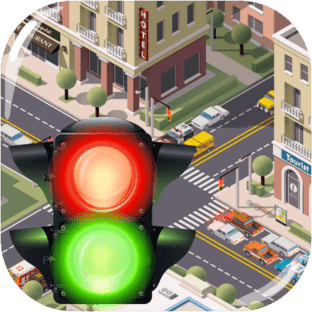 Traffic Command
Check the crossing itself before helping the longest queue. A vehicle still finishing its journey can make an otherwise sensible signal change unsafe, so clear the route before giving another stream its turn.
Traffic Command gives you responsibility for vehicles moving through road junctions. Signals and waiting approaches determine when a stream can proceed, so begin by identifying the paths that cross one another. A long queue may need attention, but the crossing itself must be clear before another direction receives its turn. Watch the vehicle already inside the junction and follow it until the conflicting space is free. The useful signal change is one that supports movement without sending another car into the same place.
Think in complete crossing intervals rather than isolated light changes. After releasing a stream, observe how far its vehicles have travelled and whether the next car has entered the conflict area. Changing another signal too early can create a collision even if the earlier queue looked nearly finished. Conversely, leaving an approach waiting without checking its state can make the junction harder to manage later. Alternate your attention between the crossing and the waiting lanes, using each to explain the next decision.
The game includes car, lives, time and score displays, alongside different junction layouts. Those layouts can change the relationship between approaches, so inspect a new stage before applying the timing you used previously. The same control movement does not guarantee the same safe outcome on another road arrangement. Read the signals shown by this edition and follow the cars rather than treating green as a permanent invitation for every direction. A manageable flow leaves enough observation time to see whether the junction is actually clearing.
On a phone, choose the intended signal carefully where controls sit near the moving scene. Keep the central conflict area visible while acting. After an unsuccessful round, identify which two paths overlapped and whether a vehicle was still completing its crossing when you changed the flow. The next attempt can correct that specific transition. Orderly traffic comes from matching signal changes to visible vehicle progress, not from switching rapidly through a memorised sequence. Help each stream at a moment when the road space it needs is available, then reassess before the next release.
Check whether a vehicle is still inside the crossing space that another approach would use.
Queue length matters, but the crossing must be clear. A conflicting vehicle still completing its journey can make that change unsafe.
It includes different road layouts. Inspect a new arrangement before reusing an earlier timing pattern.
Identify the overlapping paths and whether the previous stream had fully cleared before the conflicting release.
Found a control that behaves differently? Tell us the game name and your device.




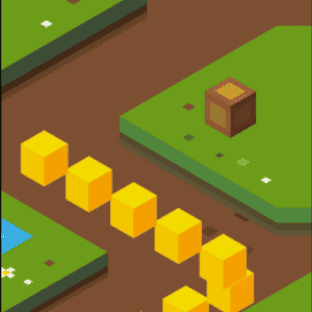


Improve Cross Runner with practical bridge alignment, hazard timing, landing checks and smarter coin and key collection routes.
Read article ↗
Understand camera rotation, layer turns, centers, edges and corners in Cube 3D. Learn reversible moves and plan a standard 3×3 solve step by step.
Read article ↗
Learn the leaf traversal rules, plan flower-planting routes and use Undo to recover from awkward moves in Emoji Puzzle on RobixGame.
Read article ↗
Find exposed matches, clear rising rows and stay below the red line in Pet Merge on RobixGame. Includes a browser check, worked examples and a practi…
Read article ↗