
Cross Runner: Master Narrow Bridges, Jump Landings and Obstacle Timing
Improve Cross Runner with practical bridge alignment, hazard timing, landing checks and smarter coin and key collection routes.
Read article ↗
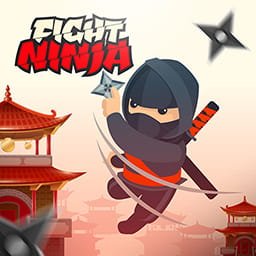
Dark Ninja adds action abilities, including invisibility, to a platform route filled with enemies and dangerous terrain.
Play here in the browser.
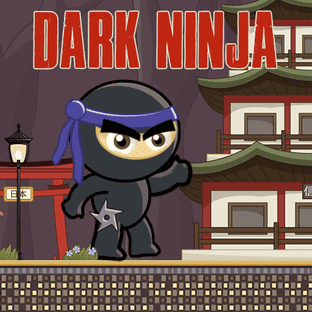 Dark Ninja
Views, plays and likes include starting counts.
Open the Controls screen before starting so the available abilities are familiar. Save attention for the route itself: the safest moment to use a special action depends on the enemy and the ground ahead.
Dark Ninja combines a side-view platform route with several abilities shown in its controls. Movement, jumping, dashing, invisibility and a parachute are represented among the available actions, alongside offensive options such as a throwing star. Open the Controls screen before beginning so the symbols have a clear meaning. Knowing which action is available helps you spend the play session reading the route rather than guessing at a button while an enemy is already nearby.
Read the ground and opponent together. A platform may offer a useful place from which to approach an enemy, but a gap or raised edge can change what happens after the attack. Before advancing, identify a safe position you can reach and a direction in which you can retreat. A special ability does not make the shape of the level irrelevant. Use it as part of a route you understand rather than assuming that another action button will recover every rushed movement.
Keep the health information and ability indicators in your scan. A health pickup can be helpful, but its location still deserves the same inspection as any other approach. Check what stands between the ninja and the item, then consider where you will finish after collecting it. When using invisibility or another special option, follow the game's current indicator rather than presuming unlimited duration or availability. The useful question is what safe movement that action allows at the present moment.
On a phone, make sure the direction and jump controls are comfortably reachable before trying to combine them with a second ability. Start with ordinary movement across a clear section, then introduce one additional action when its purpose is visible. If an encounter goes badly, identify the point where the plan stopped being clear: an unseen landing, an enemy approached too closely or an ability used without an exit route. That observation gives a new attempt a concrete adjustment. Progress comes from using the ninja's range of actions with an awareness of the platforms and enemies, rather than pressing every available button in quick succession.
Open the Controls screen before entering the route and identify movement, jump and special-action symbols.
Both abilities are represented in this edition's controls. Follow their visible indicators and instructions when using them.
Check the opponent, your supporting platform and the space available after the attack.
They should support a route you understand. Gaps, edges and enemy positions still affect the outcome.
Found a control that behaves differently? Tell us the game name and your device.



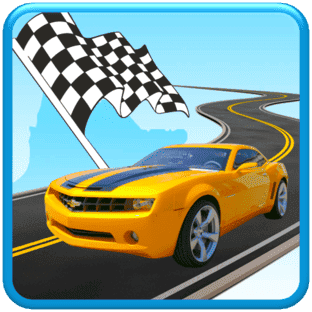

Improve Cross Runner with practical bridge alignment, hazard timing, landing checks and smarter coin and key collection routes.
Read article ↗
Understand camera rotation, layer turns, centers, edges and corners in Cube 3D. Learn reversible moves and plan a standard 3×3 solve step by step.
Read article ↗
Learn the leaf traversal rules, plan flower-planting routes and use Undo to recover from awkward moves in Emoji Puzzle on RobixGame.
Read article ↗
Find exposed matches, clear rising rows and stay below the red line in Pet Merge on RobixGame. Includes a browser check, worked examples and a practi…
Read article ↗