
Cross Runner: Master Narrow Bridges, Jump Landings and Obstacle Timing
Improve Cross Runner with practical bridge alignment, hazard timing, landing checks and smarter coin and key collection routes.
Read article ↗
Cross Runner asks you to read the next section of a course and move a runner through a useful crossing window.
Play here in the browser.
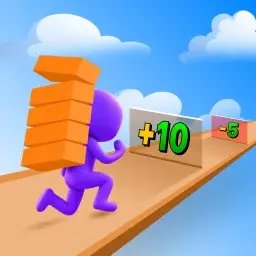 Cross Runner
Use the opening stretch to learn how far an input carries the runner. Then judge the destination before advancing, leaving yourself somewhere safe to wait when the following section is not yet clear.
Cross Runner presents a three-dimensional course made from roads, bridges and obstacle sections. Your immediate task is to read the route in front of the character and choose movement that keeps the next section manageable. Do not let the perspective draw your attention only to the distant finish. The nearby edge, the next trap and the width of the surface under the character are the details that determine the next useful input.
The game introduces movement through its tutorial and includes forward, backward, left, right and jump actions. Follow the displayed controls for the device you are using, then observe the distance produced by one controlled movement. A bridge requires a different judgement from a broad road: the same sideways correction that feels harmless on a wide section can place the character close to an edge on a narrower one. Establish the current alignment before adding another correction.
Coins, keys, chests and other course objects share the scene with traps and blocks. Read an object in relation to the surface that supports it instead of treating every visible item as a reason to change direction immediately. First decide whether the approach and the continuation both remain usable. The game also contains skin and gem shop screens; inspect their displayed requirements separately from the decisions needed to complete the current section. A shop selection cannot replace understanding the route directly ahead.
When a run becomes difficult, identify the particular transition involved. You may have approached a bridge off-centre, reacted late to a trap or made a jump before the intended landing was clear. Keep the useful part of the approach and revise that transition on another attempt. Pause and replay controls let you manage the session, while the finish provides the course goal. On a touch screen, leave enough of the next surface visible around your gesture to judge where the character will arrive. A reliable run connects small readable decisions rather than depending on a sequence of hurried corrections after the route has already become awkward.
The route still requires movement through bridges and traps; a skin selection belongs to the shop rather than replacing the next course input.
Its movement system includes forward, backward, left, right and jump actions; follow the tutorial controls shown for your device.
A narrower surface leaves less room for the sideways corrections that were comfortable on a wide road.
Check both the approach and the continuation beyond the object before changing direction toward it.
No. Skin and gem shop screens are separate choices with their own displayed requirements.
Found a control that behaves differently? Tell us the game name and your device.



Improve Cross Runner with practical bridge alignment, hazard timing, landing checks and smarter coin and key collection routes.
Read article ↗
Understand camera rotation, layer turns, centers, edges and corners in Cube 3D. Learn reversible moves and plan a standard 3×3 solve step by step.
Read article ↗
Learn the leaf traversal rules, plan flower-planting routes and use Undo to recover from awkward moves in Emoji Puzzle on RobixGame.
Read article ↗
Find exposed matches, clear rising rows and stay below the red line in Pet Merge on RobixGame. Includes a browser check, worked examples and a practi…
Read article ↗