
Cross Runner: Master Narrow Bridges, Jump Landings and Obstacle Timing
Improve Cross Runner with practical bridge alignment, hazard timing, landing checks and smarter coin and key collection routes.
Read article ↗
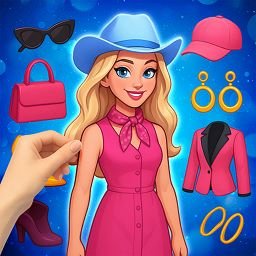
Build a character outfit in Dress Up Diva by previewing wardrobe options and combining the pieces into one look.
Play here in the browser.
 Dress Up Diva
Views, plays and likes include starting counts.
Choose a direction for the outfit before changing every category. Comparing shoes and accessories against a main garment makes it easier to notice which details work together.
Dress Up Diva is a character styling activity built from separate appearance categories. Hair, clothes, shoes, body and eyes can be changed through the wardrobe interface, allowing you to compare the effect of each choice on the same character. There is no need to rush through every option. The interesting part is seeing how a small change alters the whole outfit, then deciding which combination you want to keep looking at.
Begin with one prominent feature, such as a hairstyle or the main garment. Use the category controls and the next or back buttons to browse the choices within that part of the wardrobe. Keeping one item steady while changing another makes the comparison clearer. If you change hair, clothing and shoes at once, it becomes harder to identify which choice made the look feel more coherent. The character preview is the useful reference: compare the item as worn, rather than judging only from a small selection button.
The installed wardrobe includes several clothing and shoe choices alongside a larger hair selection. You can use that variety to explore a direction without treating every new option as an automatic improvement. For example, decide whether the hairstyle should be the most noticeable part of the character, then judge whether the clothing supports that choice. Alternatively, begin with the clothes and use shoes to repeat a colour or balance the shape of the outfit. These are personal styling decisions, so the result does not need an external score to have a clear purpose.
Body and eye choices affect the character beneath the outfit, making them worth reviewing after the main wardrobe pieces are in place. Check the complete preview before returning to any one category. The interface also includes photo controls; use the game's visible result to inspect your finished arrangement without assuming that it has been shared anywhere. You can return to browsing when a detail still feels unresolved. Dress Up Diva works well as a deliberate process of choosing, comparing and refining, with the final character reflecting the decisions you made rather than the order in which the wardrobe happened to present its items.
The wardrobe includes hair, clothes, shoes, body and eyes.
They let you browse the available choices rather than needing to settle on the first visible option.
Keep the clothing steady while changing the hair, and judge the result on the character preview.
Do not assume that. Inspect the game's visible photo result; the control alone does not establish any online sharing.
Found a control that behaves differently? Tell us the game name and your device.









Improve Cross Runner with practical bridge alignment, hazard timing, landing checks and smarter coin and key collection routes.
Read article ↗
Understand camera rotation, layer turns, centers, edges and corners in Cube 3D. Learn reversible moves and plan a standard 3×3 solve step by step.
Read article ↗
Learn the leaf traversal rules, plan flower-planting routes and use Undo to recover from awkward moves in Emoji Puzzle on RobixGame.
Read article ↗
Find exposed matches, clear rising rows and stay below the red line in Pet Merge on RobixGame. Includes a browser check, worked examples and a practi…
Read article ↗